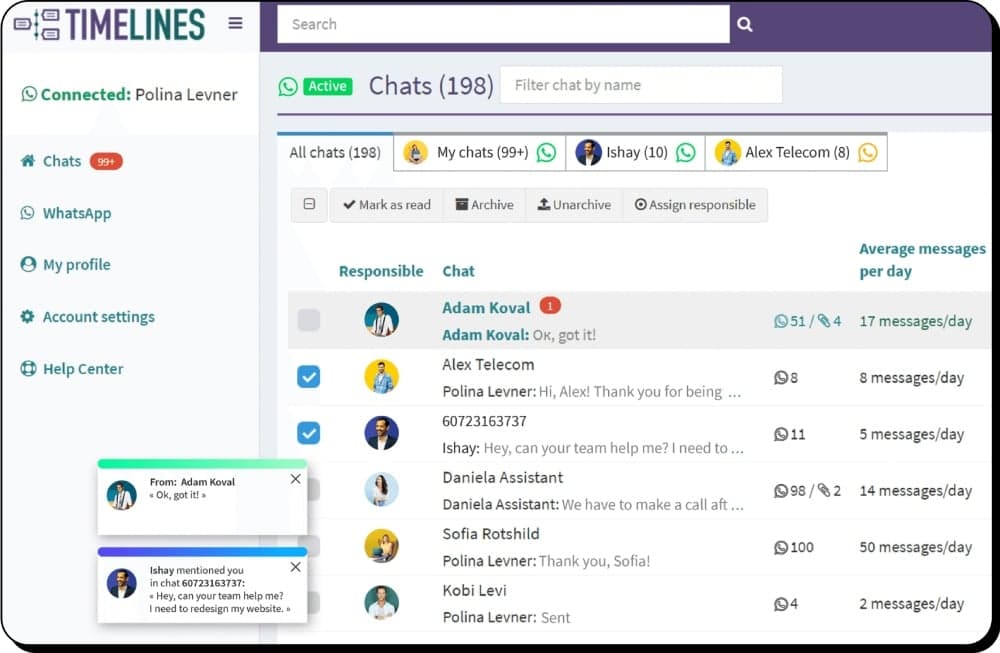
Multi-Number WhatsApp Management System for Agencies
With our WhatsApp multi-agent solution, businesses can efficiently manage client communications while maintaining privacy and security. Handle multiple client WhatsApp accounts from one centralized platform.
- Quick setup — scan a QR code and invite your team in minutes
- All-in-one communication hub for multiple WhatsApp numbers
- Privacy-driven client management with strict role-based access
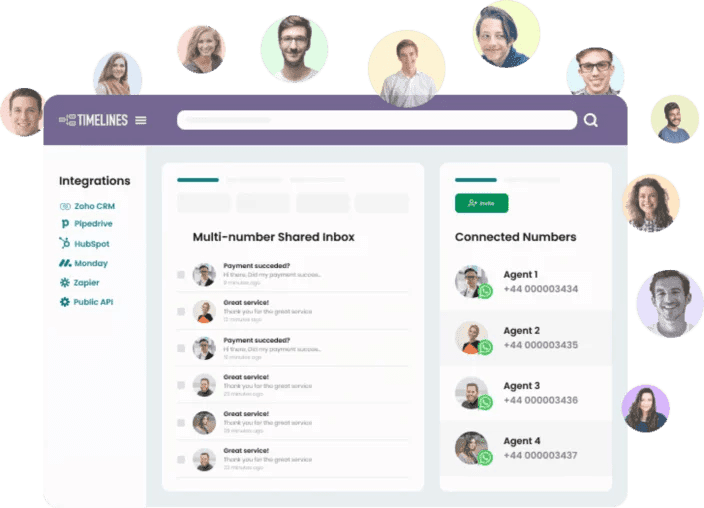
Features That Simplify Your WhatsApp Workflow
TimelinesAI offers a powerful WhatsApp management tool that enhances your team's productivity while ensuring secure and private communication.
Manage Multiple WhatsApp Accounts Securely
Handle multiple client WhatsApp accounts effortlessly without granting access to sensitive numbers. This feature provides complete oversight while ensuring each client's data remains confidential.
Centralized Shared Inbox
Gain complete control over business communications with a 360° view of all WhatsApp interactions. Manage multiple accounts in one unified inbox to streamline operations.
Create Isolated Teams in One Workspace
Streamline team collaboration by creating isolated teams, each with tailored roles and permissions. This feature optimizes workflows while maintaining strict data separation.
Send Mass Messages with Ease
Effortlessly send mass messages to your WhatsApp contacts with instant messaging. Upload contact lists, personalize messages, and reach your audience at scale.
Revolutionize Your Business in Just a Click
Transform your business communication with TimelinesAI in four simple steps.
Sign Up for Free Trial
Create your TimelinesAI account with a 10-day fully functional trial. No credit card required.
Connect WhatsApp Accounts
Scan QR codes to connect multiple client WhatsApp numbers. Works with personal and business accounts.
Invite Your Team
Add agents and assign roles with strict privacy controls. Each team sees only what they need to see.
Start Managing Clients
Use the shared inbox, mass messaging, and CRM integrations to manage all client communications from one place.
Frequently Asked Questions











Ready to Scale Your Agency's WhatsApp Management?
Join agencies worldwide that use TimelinesAI to manage multiple client WhatsApp accounts securely and efficiently.